
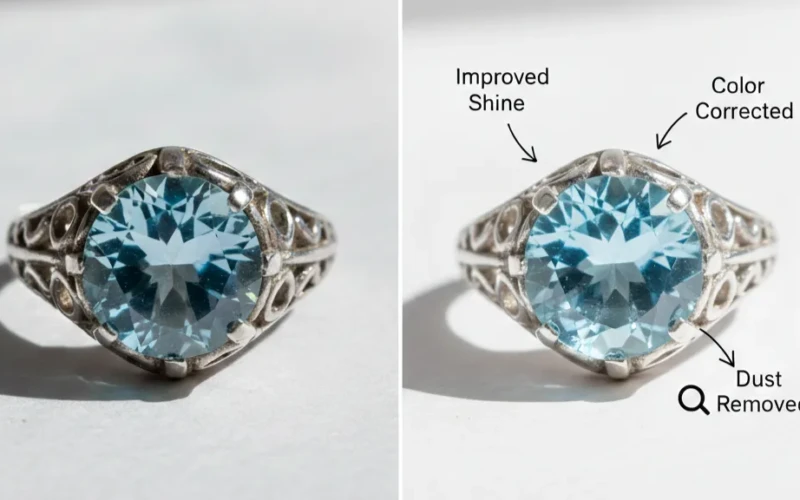
Photoshop Jewelry vs DIY Tools: Why Professional Editing Matters
Jewelry photos need to look sharp, bright, and eye-catching to grab attention. Small details like shine, reflections, and tiny stones can easily get lost in a simple photo. That’s why the debate around Photoshop jewelry vs DIY tools is important for brands and sellers. While free apps and basic editors can handle small fixes, they often miss the fine details that make jewelry truly sparkle. Professional editing focuses on precision, balance, and clean finishing touches. The difference may seem small at first, but it can strongly affect how customers see your products.
DIY tools are quick and easy, which makes them tempting to use. However, jewelry requires careful adjustments to lighting, color, and reflections that basic tools may not handle well. Professional editing brings out the brilliance of metals and gemstones without making them look fake or overdone. It also assures that every image looks consistent across your website or catalog. When you invest in high-quality editing, your jewelry appears more valuable and trustworthy. In the end, better images can lead to stronger customer interest and more sales.
Why Photoshop Jewelry Editing Looks More Professional
Photoshop jewelry editing looks more professional because it helps bring out the fine details that often get lost in a regular photo. Jewelry pieces are small, shiny, and reflective, which makes them hard to capture perfectly straight from the camera. With Photoshop, editors can correct lighting, and remove unwanted reflections so the jewelry looks clean and high-end. It also helps balance colors, making gold, silver, and gemstones look true to life instead of dull or too bright. When done properly, the result feels polished and appealing, which is especially important for online stores and advertisements. In simple terms, Photoshop helps jewelry photos look closer to what people expect to see in real life or even better.
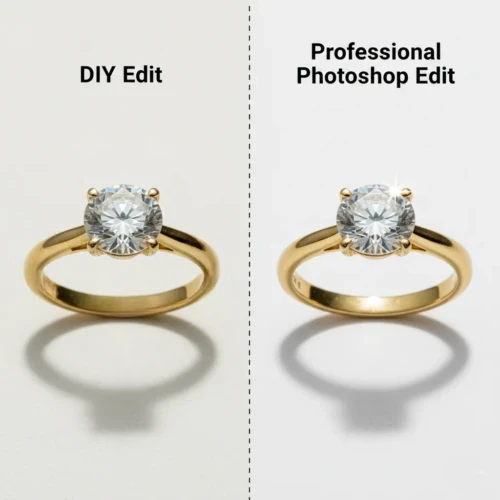
Another reason Photoshop editing feels more professional is that it creates consistency across all product photos. Customers notice when images look uniform in brightness, color, and style, and that builds trust in a brand. Editors can clean backgrounds, sharpen details, and highlight textures so every piece stands out without looking fake. It also allows small imperfections like dust, scratches, or fingerprints to be removed, which makes the jewelry look premium and well cared for. The key is to improve the image without overdoing it, so the jewelry still looks natural and believable. When used with a light touch, Photoshop turns ordinary shots into clean, eye-catching images that feel truly professional.
Helpful tips for readers:
- Use gentle sharpening to highlight details without making edges look harsh.
- Remove dust and tiny scratches to keep jewelry looking clean and premium.
- Keep reflections natural too much editing can make jewelry look unrealistic.
- Use consistent lighting and background style for all product photos.
- Zoom in while editing so you don’t miss small details.
Understand the Difference Between Professional and DIY Editing
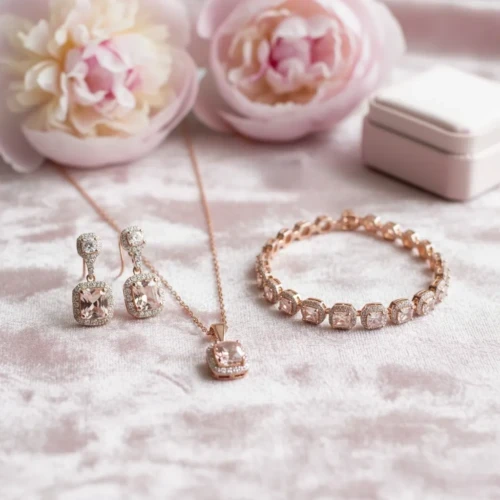
Understanding the difference between professional and DIY editing helps you know what to expect from each approach. DIY editing is great for quick fixes and simple improvements, especially if you’re just starting out or working on personal photos. It usually involves basic adjustments like brightness, contrast, and minor retouching using easy tools or presets. Professional editing, on the other hand, focuses more on precision, detail, and consistency across images. Professionals often spend more time refining colors, cleaning imperfections, and making sure everything looks polished and natural. The biggest difference is usually in the small details that make an image feel high-quality and ready for business or marketing.
Professional editors also understand how to keep images realistic while still making them look visually impressive. They work with advanced techniques like detailed masking, color correction, and careful retouching that avoids an over-edited look. DIY editing can still produce great results, but it sometimes lacks the fine control that professionals use to create a smooth, balanced finish. Choosing between the two often depends on your goals, budget, and how much time you want to spend learning. If you only need quick improvements, DIY editing might be enough, but for product photos or branding, professional editing often makes a noticeable difference. In the end, both approaches have value it’s about picking the one that fits your needs.
Why Basic Tools Often Miss Fine Details
Basic editing tools are helpful for quick fixes, but they often miss fine details because they work with simple adjustments instead of precise controls. These tools usually apply changes to the whole image, which can make small areas lose texture or look flat. For example, when you increase sharpness or brightness globally, tiny details like jewelry edges, skin texture, or fabric patterns may either disappear or look unnatural. Basic tools are designed to be fast and easy, not deeply accurate, so they don’t always detect small imperfections or subtle lighting differences. That’s why photos edited only with basic tools can sometimes look good at first glance but lack a polished, professional finish.
Professional or advanced editing methods focus more on targeting specific areas instead of changing everything at once. This allows editors to edit details without damaging the natural look of the image. Fine retouching involves zooming in, adjusting tiny elements, and carefully balancing light and texture something basic tools usually can’t handle well. While simple tools are great for beginners or quick edits, they’re limited when you want a clean, high-quality result. Understanding these limits helps you know when to switch to more advanced techniques or software. In the end, detail-focused editing is what makes an image stand out and feel truly professional.
Improve Product Quality with Photoshop Jewelry Editing
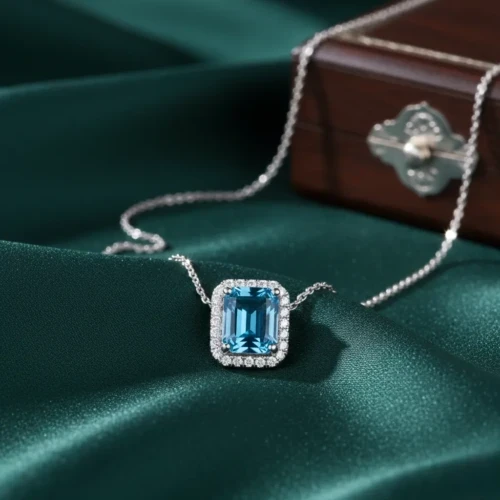
Photoshop jewelry editing helps improve product quality by making every small detail look clean, clear, and attractive. Jewelry is full of tiny textures, reflections, and sparkle that cameras don’t always capture perfectly, so editing helps bring those details back. With Photoshop, you can fix lighting issues and remove dust or scratches that make the piece look less appealing. It also helps correct colors so gold, silver, and gemstones look accurate and consistent across all photos. When product images look polished and bright, customers naturally trust the quality more. In a casual way, you can think of Photoshop as giving your jewelry a quick ready-for-display makeover.
Another reason Photoshop editing improves product quality is that it creates a more professional and uniform look for your brand. Clean backgrounds, balanced highlights, and sharp edges help the jewelry stand out without distractions. Good editing doesn’t mean making the piece look fake it means showing it at its best while keeping it realistic. This is especially important for online stores, where customers rely only on photos before buying. Even small improvements like fixing reflections or smoothing metal surfaces can make a big difference in how premium the product feels. When done right, Photoshop editing turns ordinary product shots into images that look high-quality and sales-ready.
Save Time and Get Better Results with Photoshop Jewelry Editing
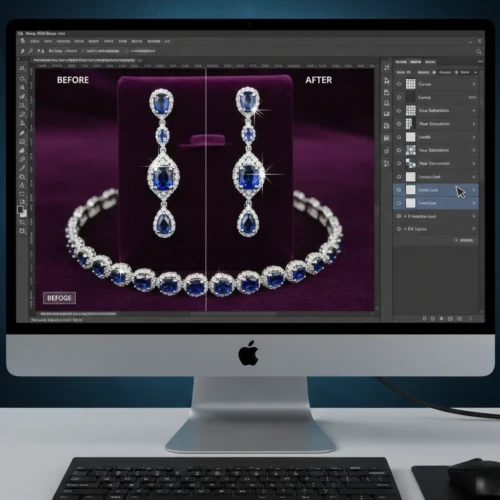
Saving time and getting better results with Photoshop jewelry editing is all about working smarter instead of spending hours fixing the same issues again and again. Jewelry photos often need small corrections like removing dust, adjusting reflections, and improving shine, and Photoshop helps you handle these tasks quickly and cleanly. When you use the right tools, you can improve image quality without making the editing process feel complicated or stressful. This means you get polished, professional-looking photos in less time while still keeping the jewelry realistic and attractive. In simple terms, Photoshop helps you turn average product photos into clean, sales-ready images with less effort.
Another big advantage is consistency, especially when you’re editing multiple jewelry photos for a catalog or online store. Photoshop allows you to apply similar edits across images so everything looks balanced and professional. Small adjustments like sharpening details, fixing colors, and cleaning backgrounds can make products look more premium and trustworthy. Even beginners can get faster results by using adjustment layers, presets, and simple workflows. Over time, these small habits save hours of editing while improving the overall quality of your images. When used casually and correctly, Photoshop becomes a reliable tool that helps you work faster and achieve better results. Want to see the difference for yourself? Send us a sample photo, and we’ll show you how professional Photoshop jewelry editing can upgrade your image into a polished, high-quality result.
Quick benefits of Photoshop jewelry editing:
- Faster workflow and less repetitive work
- Cleaner and more professional product photos
- Better detail and sparkle control
- Consistent style across all images
- Higher-quality visuals that attract customers
Fix Imperfections Without Losing Quality
Fixing imperfections without losing quality is one of the biggest advantages of Photoshop jewelry editing. Jewelry photos often have tiny issues like dust, scratches, or uneven reflections that can make a product look less appealing. With Photoshop, you can carefully remove these flaws while keeping the metal’s shine, gemstone sparkle, and fine details intact. Instead of using broad, heavy adjustments that flatten the image, you can work on specific areas with tools like the healing brush, clone stamp, or layer masks. This way, the jewelry looks clean and polished, but still realistic exactly how it would appear in real life.
Another reason this approach works so well is that Photoshop lets you maintain the image’s original resolution and sharpness. By editing non-destructively with layers and adjustment masks, you can correct problems without affecting the overall quality. This is especially important when images will be printed or zoomed in for online catalogs. Even small details like a tiny reflection or a subtle shadow can be fixed carefully, keeping the jewelry’s premium look. Using these techniques consistently guarantees your product photos are professional, visually appealing, and free of distractions.
Build Customer Trust Using Photoshop Jewelry Editing
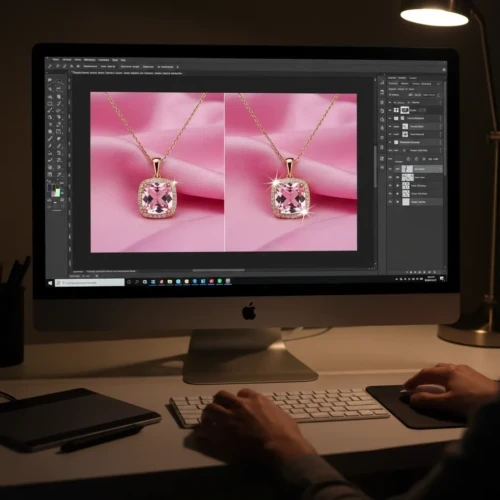
Building customer trust using Photoshop jewelry editing is all about making your products look polished, accurate, and professional. When customers shop online, they rely entirely on photos to judge the quality of jewelry, so every detail matters. Clean, sharp images with accurate colors, proper lighting, and realistic sparkle show that you care about quality. By removing distractions like dust, fingerprints, or reflections, you present a product that looks premium and reliable. Simply put, high-quality edited images make customers feel confident that what they see is what they’ll get.
Photoshop also helps maintain consistency across all your product photos, which is another key factor in building trust. When your catalog has a uniform look, it communicates professionalism and attention to detail. Even subtle adjustments like balancing colors and keeping shadows natural can make a big difference in how customers perceive your brand. Over time, these clean, polished images create a sense of credibility that encourages purchases and repeat business. With careful editing, your jewelry photos don’t just look good they help customers feel confident and secure in their choices. Ready to improve your jewelry images and build stronger customer trust? Try our professional jewelry editing service and see the difference high-quality, detail-focused editing can make for your brand.
Conclusion
In the end, Photoshop jewelry editing is more than just making photos look nice it’s about showing your products in the best possible light while building trust with your customers. Clean, detailed, and consistent images make jewelry appear high-quality and professional, which encourages people to buy and trust your brand. By fixing imperfections and keeping colors accurate, you can make every piece look its best without overdoing it. Using Photoshop also saves time and helps maintain a smooth workflow, especially when working with multiple product photos. Even small edits can make a big difference in how customers perceive your products. Overall, learning to edit carefully and consistently turns ordinary photos into visuals that truly showcase your jewelry and strengthen your business.
Read Next: Professional and Expert Photo Editing Services You Can Trust