
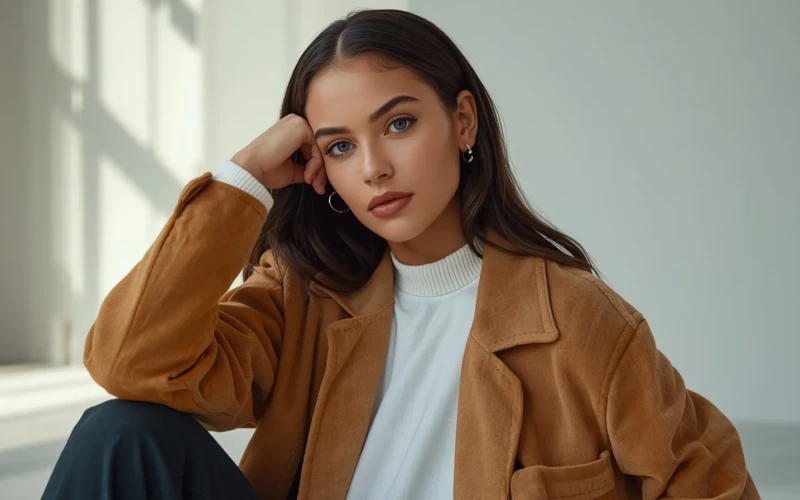
Instagram Model Photo Editing Tips for Fashion Brands
Fashion brands need photos that instantly grab attention. That’s where Instagram model photo editing makes a big difference. A well-edited image can turn a simple photo into something stylish and eye-catching. Clean lighting, smooth skin tones, and balanced colors help models and outfits look their best. When your photos look polished, people are more likely to stop scrolling and take a closer look. Strong visuals can help your brand feel more professional and memorable.
But great editing is not about changing everything. It’s about enhancing the natural beauty of the model and the clothing. Small details like removing distractions, fixing shadows, and sharpening textures can improve the overall look. Fashion brands that understand these simple tips can create a consistent and attractive feed. A clear editing style also helps build trust with your audience. When your photos look good and feel real, followers are more likely to engage and support your brand.
Why Instagram Model Photo Editing Matters for Fashion Brands
Instagram is a highly visual platform where people quickly decide what they like in just a few seconds. For fashion brands, this means every photo needs to look clear, bright, and appealing. Good editing helps improve lighting, colors, and small details that may not look perfect straight from the camera. When images look polished, your brand appears more professional and trustworthy. This builds confidence in your products and encourages followers to explore more of your content. In a crowded feed, strong visuals can be the reason someone stops and pays attention to your brand.
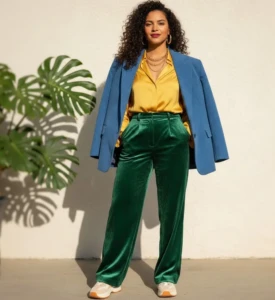
Instagram model photo editing also helps create a consistent style across your profile. When your photos share the same tone and mood, your page feels organized and attractive. Consistency makes your brand easier to remember and recognize. It also helps highlight the beauty of your clothing without distractions. To make the most out of your editing process, here are a few simple tips:
- Keep colors natural but slightly enhanced to make outfits stand out.
- Adjust brightness and contrast to create clean and sharp images.
- Remove small distractions in the background.
- Avoid over-editing skin so the model still looks real.
- Use the same preset or editing style to maintain a consistent feed.
Create Bright and Balanced Photos
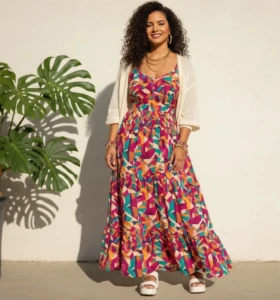
Bright and balanced photos make a strong first impression on Instagram. When an image is too dark, important details in the outfit can get lost. If it is too bright, colors may look faded or unnatural. The goal is to find the right balance, so the model, clothing, and background all look clear and pleasing to the eye. Good lighting helps show the true color, texture, and quality of the fabric. When your photos are well-balanced, they feel clean, fresh, and more professional. Creating bright and balanced photos does not mean over-editing. Small and careful adjustments can already make a big difference. Focus on improving the overall look while keeping the image natural. Pay attention to how shadows and highlights affect the mood of the photo.
Here are some simple tips you can follow:
- Increase brightness slightly to make the image look fresh.
- Adjust contrast to add depth without making it too harsh.
- Fix white balance so colors look natural and not too warm or too cool.
- Soften strong shadows that hide outfit details.
- Check the photo on different screens to make sure it looks balanced everywhere.
Keep Skin Tones Natural and Clean
Natural and clean skin tones help your photos look real and trustworthy. When editing model photos, it can be tempting to smooth everything too much. However, over-editing can make the skin look fake and plastic. Fashion brands should focus on enhancing beauty, not changing it completely. Clear and healthy-looking skin allows the audience to connect with the model more easily. When the model looks natural, the brand feels more honest and relatable.
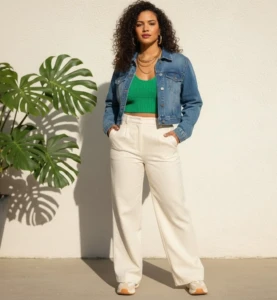
Keeping skin tones balanced also helps maintain the true colors of the clothing. If the skin looks too orange, too pale, or too gray, it can affect the overall image quality. Simple and careful retouching can improve the photo without removing important details. Always aim for smooth but realistic results. Here are some helpful tips to follow:
- Use light skin smoothing and avoid heavy blur effects.
- Adjust white balance to prevent unnatural color tones.
- Remove small blemishes but keep natural skin texture.
- Avoid changing the model’s real skin color.
- Zoom out and review the photo to ensure it still looks natural.
Make Outfits the Main Focus
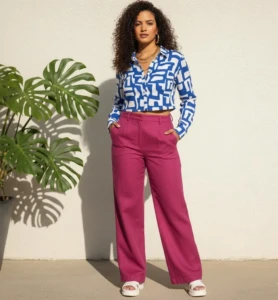
In fashion photography, the outfit should always be the star of the image. While the model and background are important, the clothing is what you are really selling. If the photo has too many distractions, people may miss the details of the design. Clean editing helps guide the viewer’s eyes directly to the outfit. Adjusting sharpness, color, and lighting can make fabrics look richer and more detailed. When the outfit stands out clearly, your brand message becomes stronger. Making outfits the main focus does not require dramatic changes. Small improvements can highlight texture, patterns, and stitching. It is also important to keep the background simple, so it does not compete with the clothing. Balanced editing helps the product look attractive without looking unnatural.
Here are some simple tips to help you:
- Increase sharpness slightly to show fabric details.
- Enhance colors carefully to make the outfit pop.
- Blur or clean the background to reduce distractions.
- Remove wrinkles or dust spots that take attention away from the design.
- Crop the image wisely to keep the outfit at the center of attention.
Build a Consistent Feed Style
A consistent feed style helps your fashion brand look organized and professional. When people visit your Instagram profile, they should quickly understand your brand’s mood and personality. If your photos have different colors, tones, and lighting styles, the page can feel messy and confusing. Consistency makes your content more pleasing to the eye and easier to remember. It also helps build trust because your audience knows what to expect from your posts. A well-planned feed can turn casual visitors into loyal followers.
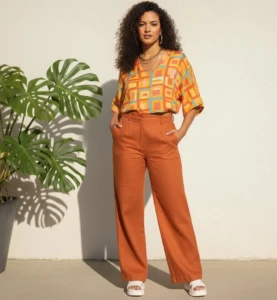
Building a consistent style does not mean every photo should look exactly the same. It simply means they should feel connected through similar tones and editing choices. Choose a color theme or mood that matches your brand, if it is bright and airy or dark and bold. Use the same editing steps to keep your images balanced and uniform. Here are a few simple tips to help you stay consistent:
- Use the same preset or filter for most of your photos.
- Stick to a specific color palette that fits your brand.
- Keep lighting style similar in every shoot.
- Plan your grid layout before posting.
- Review your feed as a whole to make sure everything looks balanced.
Small Edits That Make a Big Difference
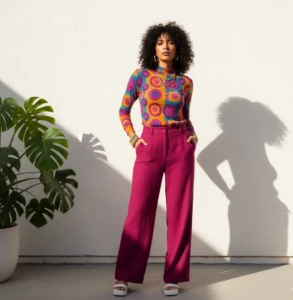
In fashion photography, even the smallest changes can greatly improve the final image. Tiny distractions like dust, wrinkles, or uneven lighting can take attention away from the outfit. Fixing these small issues helps your photos look clean and professional. You do not need heavy editing to create impact. Simple adjustments can enhance clarity, improve color balance, and sharpen important details. When done carefully, these small edits make your brand look polished and well-prepared. Paying attention to details shows that your fashion brand values quality. Small improvements can make the clothing look more attractive without changing its true design. The key is to enhance the photo while keeping it natural. Focus on refining, not overdoing.
Here are some easy edits that can make a big difference:
- Remove small stains, dust, or background distractions.
- Adjust brightness and contrast slightly for a cleaner look.
- Straighten the image to keep lines balanced.
- Crop unnecessary empty spaces.
- Lightly sharpen important details like seams or textures.
Conclusion
In the end, great Instagram model photo editing is not about making photos look fake, but about making them look their best. Small and thoughtful changes can help your fashion brand stand out in a busy feed. When your images are bright, balanced, and consistent, people are more likely to trust and follow your brand. Remember, strong visuals can turn simple posts into powerful marketing tools. Now we’d love to hear from you, what editing tip works best for your fashion photos? Share your thoughts or experiences in the comments and let’s learn from each other.
Read Next: Professional Retouching Image Services for High-Quality Photos