
How Professional Photo Editing Create Better Photos
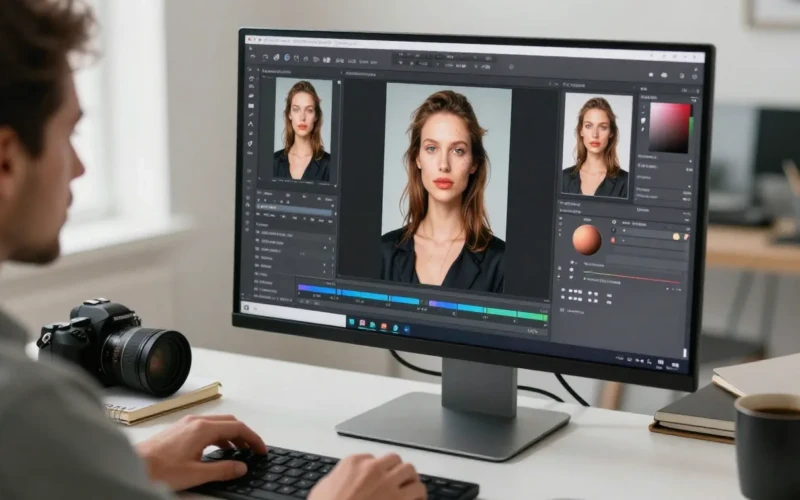
Professional photo editing plays a big role in making any picture looks its best. With just a few careful adjustments, a simple photo can turn into something eye-catching and clean. This process helps bring out true colors, fix small issues, and highlight the most important details in an image. It also adds a polished look that makes photos more appealing to viewers. If it is for business or personal use, this editing step helps photos stand out and send the right message.
Better photos don’t always start with a perfect shot; they are often created through thoughtful editing. By improving brightness, balance, and clarity, photos instantly look more professional and easier to appreciate. Editing also helps remove distractions that take away from the subject. With the right tools and the right skills, images can be shaped to tell a clearer and stronger story. In the end, good editing makes every photo look more confident, more beautiful, and more ready to be shared.
Why Professional Photo Editing Matters for Clear and Beautiful Images
Editing plays a big part in making photos look clear, neat, and visually appealing. Even a well-taken shot can still look dull or uneven without a little adjustment. Editing helps correct lighting issues, balance colors, and remove unwanted shadows that distract from the subject. It also brings out the real details of the image, making it easier for viewers to notice important features. When photos are clear and clean, they instantly look more professional and more enjoyable to look at.

Good editing does more than fix mistakes, it helps create photos that feel polished and complete. It can soften harsh spots, sharpen blurry areas, and make the entire picture look more balanced. Simple changes can completely change the mood of a photo, making it warmer, cooler, or more vibrant. With the right editing steps, even simple photos can look more eye-catching and memorable. This is why editing has become an important part of modern photography.
Helpful tips to improve your photos through editing:
- Adjust brightness and contrast to make your subject stand out
- Use color correction to fix dull or uneven tones
- Remove small distractions to keep the focus on the main subject
- Sharpen details to make your images look crisp
- Keep edits light and natural to avoid an over-edited look
Turning Simple Shots into Eye-Catching Photos

Turning a simple shot into an eye-catching photo starts with understanding what makes an image stand out. Even the most ordinary picture can become striking with the right edits. Adjusting the lighting, improving colors, and improving clarity can instantly change how a photo feels. These small improvements help bring out important details that may not be visible in the original shot. When a photo looks brighter and more balanced, it becomes more appealing to the viewer. Editing also helps shape the mood and message of a photo. Softening harsh areas, removing clutter, and adjusting the background can turn a plain image into a clean and professional-looking one.
These changes guide the viewer’s eyes to the main subject, making the photo more impactful. A simple shot with the right edits can tell a stronger story and make a lasting impression. This is why a little editing goes a long way in making photos look more eye-catching and memorable.
Helpful tips to change simple photos:
- Brighten the image to make it look more lively
- Boost colors slightly to make the photo more vibrant
- Crop out unnecessary areas to improve focus
- Remove clutter or distractions in the background
- Use sharpening tools to make details stand out
- Keep edits natural to maintain a realistic look
How Clean Backgrounds Make Subjects Stand Out
A clean background makes a big difference in how a photo looks because it keeps all the attention on the main subject. When the background is cluttered or busy, the viewer’s eyes easily get distracted. Removing unwanted objects or softening the background creates a clearer and more focused image. This helps the subject appear sharper, brighter, and more important in the photo. Clean backgrounds also add a professional touch, making the whole picture look polished and easy to understand.

Simple backgrounds are also great for telling a stronger visual story. When there is nothing competing for attention, the subject becomes the center of the viewer’s focus right away. This works well for product photos, portraits, and creative shots because it highlights the details you want people to notice. A clean background also helps create consistency, especially when you need a uniform look for online stores or social media posts. By keeping the background neat and simple, photos instantly look more attractive and confident.
Helpful tips for cleaner backgrounds:
- Use a plain wall or surface to avoid distractions
- Blur the background slightly to highlight the subject
- Remove unwanted objects through editing
- Crop the photo to cut out messy areas
- Keep colors simple so the subject stands out more
- Use soft lighting to make the background look smooth and even
Making Every Detail Sharp and Easy to See
Making every detail sharp is an important step in creating photos that look clear, clean, and professional. When an image is slightly blurry, the viewer may miss important features or lose interest quickly. Editing helps improve sharpness, so textures, edges, and fine details stand out more clearly. This makes the subject look more defined and gives the photo a crisp, high-quality feel. Clear details also make an image more trustworthy, especially in product photography or close-up shots. Sharpening is not just about making things look “crisper”, it also guides the viewer’s eyes in the right direction. When the main subject is sharp and the background is softer, the image becomes easier to understand at first glance.
Editing tools help improve contrast and detail without making the photo look harsh or unnatural. With the right balance, every part of the photo that matters becomes easy to see and appreciate. This small step can turn an ordinary picture into one that stands out instantly.
Helpful tips for sharper photos:
- Use sharpening tools lightly to avoid grainy or harsh results
- Increase clarity to bring out textures and fine details
- Soften the background to make the subject appear sharper
- Adjust contrast to make edges more defined
- Zoom in during editing to check small details
- Keep sharpening natural for a clean, realistic look
Creating Consistent Photos for a Stronger Brand
Consistency in photos is important for building a strong and recognizable brand. When images share a similar style, color tone, and quality, they create a professional and trustworthy impression. Randomly edited or mismatched photos can confuse viewers and weaken a brand’s identity. Professional photo editing helps maintain uniform brightness, color balance, and sharpness across all images. This consistency makes it easier for people to recognize your work or products at a glance, even on social media, websites, or marketing materials.

A consistent photo style also helps convey a clear message and mood. For example, using similar lighting, backgrounds, and color palettes can make every photo feel like it belongs to the same collection. This approach strengthens brand identity and shows attention to detail. When your photos look polished and cohesive, they build credibility and trust with your audience. Ultimately, creating consistent images helps your brand appear more professional, reliable, and memorable.
Helpful tips for consistent photos:
- Use similar lighting and exposure across all photos
- Stick to a consistent color palette or tone
- Apply the same background style or texture
- Keep sharpness and clarity uniform for every image
- Use preset filters or editing templates for faster results
- Review all photos together to make a cohesive look
Building Trust with High-Quality Product Images

High-quality product images are one of the most effective ways to build trust with potential customers. When a photo is clear, clean and detailed, it gives viewers confidence that the product is real and reliable. Blurry, dark, or poorly edited photos can make a product seem low-quality or unprofessional. Professional photo editing makes sure that colors are accurate, details are visible, and the product looks its best. Clear images help customers make informed decisions and reduce the chance of misunderstandings or returns. Building trust through photos also strengthens a brand’s reputation over time. When all product images are consistent, polished, and visually appealing, customers feel that the brand is careful and trustworthy.
Editing can highlight important features, remove distractions, and create a clean look that focuses attention on the product itself. High-quality images communicate professionalism and care, which encourages buyers to trust and choose your products over competitors. In short, good photos make your products look credible and appealing.
Helpful tips for high-quality product images:
- Use clear, even lighting to show true colors
- Makes sure that the product is in focus and details are sharp
- Remove background distractions to highlight the product
- Keep colors accurate to avoid misleading customers
- Use consistent angles and composition across products
- Edit carefully to improve without overdoing the image
Helping Photos Tell a Better and Clearer Story
Photos can tell meaningful stories, but only when they are clear and well-presented. Without proper editing, a photo may appear confusing, dull, or fail to take the viewer’s attention. Professional photo editing helps highlight the main subject, improve colors and lighting, and remove distractions that take away from the message. When every element of the photo is carefully adjusted, it becomes easier for viewers to understand what the image is trying to convey. Clear storytelling through photos makes them more engaging and memorable.

Editing also allows you to control the mood and focus of a photo, guiding the viewer’s emotions and attention. For example, improving warm tones can make a scene feel cozy, while brighter lighting can make it feel lively and fresh. Cropping, sharpening, and adjusting the background all help emphasize the key elements of the story. When done right, even a simple image can communicate a clear idea or feeling without needing extra explanation. Thoughtful editing turns ordinary photos into compelling visual stories that connect with viewers.
Helpful tips for storytelling in photos:
- Highlight the main subject by adjusting focus and lighting
- Remove distracting elements to keep the message clear
- Use color and tone to convey the mood or emotion
- Crop images to direct attention where it matters most
- Sharpen important details to make them stand out
- Keep edits natural so the story feels authentic
Conclusion
Professional photo editing can truly turn ordinary images into amazing, attention-grabbing visuals. From fixing small flaws to improve colors, lighting, and sharpness, every edit makes a photo more polished and impactful. Well-edited photos not only look better but also help tell a clearer story, build trust, and boost engagement online. If you are sharing personal memories or promoting products, editing makes sure that your photos stand out and leave a lasting impression. What editing tips do you use to improve your photos? Share your favorite techniques or experiences in the comments below, we’d love to see your creative results.
Read Next: Affordable Wedding Photo Editor for Bride, Groom & Photographers