
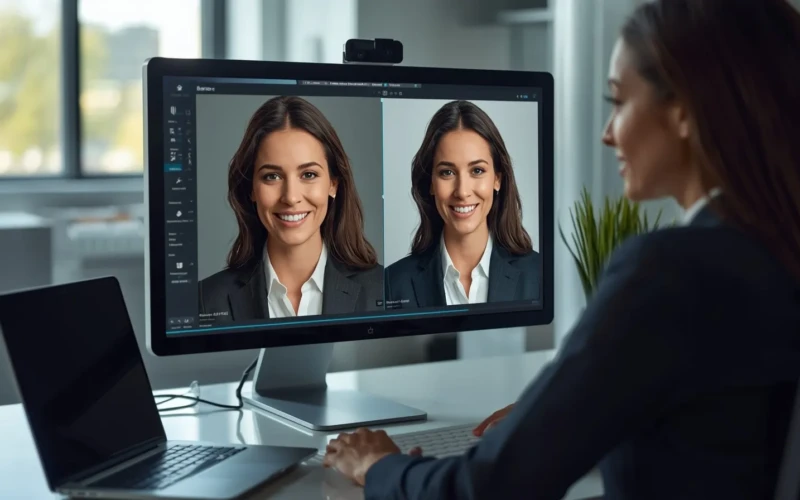
How Expert Headshot Editing Can Boost LinkedIn Profile Views
First impressions matter, especially on professional platforms like LinkedIn. That’s where headshot editing for LinkedIn comes in. A polished, professional-looking headshot can make your profile more appealing and help you stand out among hundreds of connections. Expert editing can fix lighting, smooth skin, remove distractions, and improve details, giving your photo a crisp, professional look. You don’t need to be a photography expert, AI tools and professional editors make it simple and fast. With the right headshot, you can make a lasting impression on recruiters, potential clients, and industry peers.
Beyond just making your photo look good, expert headshot editing can boost your overall profile views. A high-quality headshot signals professionalism and attention to detail, encouraging people to click, connect, and engage with your profile. It can also help your profile appear more consistent and credible, especially when paired with a strong resume and LinkedIn content. Investing in your photo can lead to better networking opportunities, more profile visits, and increased chances of job offers or business connections. With a clear, polished headshot, you’re not just sharing a photo, you’re showcasing your professional brand.
Headshot Editing for LinkedIn Can Boost Your Profile Views
Your LinkedIn profile photo is often the first thing recruiters, clients, or connections notice. Headshot editing for LinkedIn helps make that first impression count by creating a polished and professional look. Even small improvements like adjusting lighting, improving colors, and removing distractions can make a big difference. A high-quality headshot signals credibility and attention to detail, encouraging people to view your profile and connect with you. With a professional-looking photo, you stand out in search results and among hundreds of other profiles.

Editing your headshot doesn’t have to be complicated or time-consuming. If you use AI tools or professional editing services, the right adjustments can make your face clear, your expression confident, and your overall image more engaging. A strong headshot makes your profile more inviting and increases the chances of meaningful networking.
Tips for boosting your profile with headshot editing for LinkedIn:
- Makes sure good lighting – brighten shadows and balance highlights for a natural look.
- Keep the background clean – remove distractions that take focus away from your face.
- Improve clarity subtly – sharpen details without over-editing.
- Adjust colors naturally – improve tones for skin and clothing while keeping them realistic.
- Show your personality – maintain a friendly, approachable expression.
Why Your LinkedIn Headshot Matters

Your LinkedIn headshot is more than just a photo, it’s a powerful tool that represents your personal brand. It’s often the first impression recruiters, clients, or potential connections have of you, and a professional-looking image can set the tone for how others perceive your skills and experience. A polished headshot helps convey confidence, credibility, and approachability, making people more likely to engage with your profile. Without a strong photo, your profile may appear incomplete or less trustworthy, which could mean missed opportunities. Investing time in a high-quality headshot shows that you take your career and professional image seriously.
A well-edited headshot also helps your profile stand out in search results and networking feeds. Even subtle improvements, like adjusting lighting or smoothing minor imperfections, can make a photo more eye-catching and professional. By presenting a clean and approachable image, you increase the chances of profile views, connections, and potential job opportunities. Your headshot can act as a visual introduction, encouraging people to learn more about you.
Tips for making your LinkedIn headshot matter:
- Use a friendly, approachable expression – smile naturally to appear welcoming.
- Dress professionally – wear clothing that reflects your industry or role.
- Choose a simple background – avoid clutter to keep the focus on your face.
- Makes sure proper lighting – bright, even light makes your features clear and flattering.
- Keep it current – use a recent photo that represents how you look now.
How Headshot Editing for LinkedIn Improves Appearance
Even small flaws in a photo can make a professional headshot look less polished. Headshot editing for LinkedIn helps correct these issues, making your profile photo look clean, sharp, and professional. Editing can smooth skin, reduce shadows, improve colors, and remove minor distractions in the background. These adjustments help your features stand out while keeping your image natural and approachable. A well-edited headshot creates a stronger visual impact, increasing the chances that people will notice and engage with your profile.
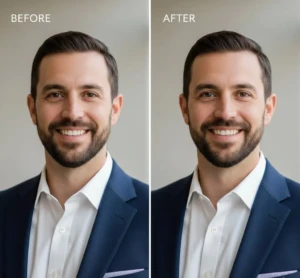
Beyond basic fixes, professional headshot editing can also improve lighting, adjust contrast, and highlight details like eyes and hair, giving your photo a more vibrant and lively appearance. Even subtle improvements make a significant difference in how others perceive your professionalism and credibility. With these improvements, your profile photo becomes more inviting and attention-grabbing.
Tips for improving your LinkedIn headshot appearance:
- Smooth skin subtly – remove minor blemishes without over-editing.
- Correct lighting and shadows – brighten dark areas and balance highlights.
- Improve key features – sharpen eyes and facial details for clarity.
- Clean the background – remove distractions that take focus away from your face.
- Maintain a natural look – avoid over-improving colors or features.
Tips for Choosing the Best Headshot

Choosing the right headshot for LinkedIn is more than just picking a photo you like, it’s about selecting an image that represents your professional brand. A great headshot should make you look confident, approachable, and polished. Pay attention to details like posture, expression, and framing, as these elements contribute to how others perceive your professionalism. Even subtle differences in angles or lighting can change the impact of your photo. The right headshot can help you stand out among hundreds of profiles and increase the likelihood that people will engage with your profile. It’s also important to consider the context of your industry and audience.
A headshot that works for a corporate environment may differ from one suited for creative or tech roles. Choose a photo that matches your professional style while remaining authentic to who you are. Pairing your headshot with expert editing makes sure that the image is polished and visually appealing. By being mindful of these factors, you can select a headshot that makes a lasting positive impression.
Tips for choosing the best LinkedIn headshot:
- Dress appropriately – wear clothing that reflects your industry.
- Choose a clean background – keep it simple to maintain focus on your face.
- Maintain good posture – sit or stand straight for a confident look.
- Smile naturally – appear friendly and approachable without overdoing it.
- Select a recent photo – make sure it reflects your current appearance.
The Role of Colors and Details in Headshot Editing
Colors and details play a important role in making a LinkedIn headshot look professional and polished. Subtle adjustments to skin tone, hair color, and clothing can make the image appear more vibrant and lifelike. Improving details like eyes, hair texture, and facial features makes sure that your headshot is sharp and clear, even in small profile thumbnails. Correcting color balance and lighting helps your face stand out naturally without looking artificial. These improvements make your profile photo more engaging and visually appealing, giving viewers a strong first impression.
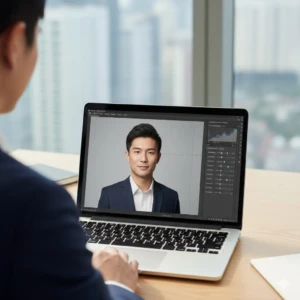
Paying attention to small details can make a big difference in how others perceive your professionalism. By carefully editing colors and improving clarity, you create a headshot that communicates confidence and competence. Even minor improvements, like adjusting shadows or highlights, can make your photo look more polished. A well-edited headshot draws attention to your face while maintaining a natural and approachable look, helping you attract more profile views and connections.
Tips for improving colors and details in a LinkedIn headshot:
- Balance skin tones – make sure your complexion looks natural and even.
- Improve eyes and facial features – sharpen key details for clarity.
- Adjust lighting subtly – brighten shadows and tone down harsh highlights.
- Boost color naturally – make clothing and background pop without exaggeration.
- Remove minor distractions – small blemishes or background elements should be corrected.
How a Polished Headshot Can Increase Connections
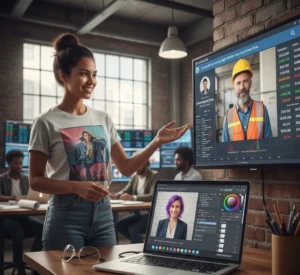
A polished LinkedIn headshot can significantly impact how many people view and connect with your profile. Profiles with professional-looking photos are more likely to receive clicks, connection requests, and messages from recruiters or potential clients. When your photo looks clean, clear, and well-edited, it signals professionalism and attention to detail. People are naturally drawn to profiles that look trustworthy and approachable, and a polished headshot creates that positive first impression. Even small improvements in lighting, color, and clarity can make your profile stand out among hundreds of others in search results. A strong headshot not only attracts attention but also encourages engagement.
When viewers see a photo that conveys confidence and professionalism, they’re more likely to explore your profile, read your experience, and reach out. If you’re networking, applying for jobs, or promoting your services, a polished headshot increases the likelihood of meaningful connections. Investing in headshot editing can therefore directly influence your LinkedIn success.
Tips for using a polished headshot to increase connections:
- Make your face visible and clear – avoid photos that are too distant or cropped poorly.
- Look approachable – a friendly and professional expression invites engagement.
- Keep it consistent – match your headshot style with your personal brand.
- Use high resolution – clear, sharp images attract more attention.
- Update regularly – refresh your photo to reflect your current appearance.
Quick Ways to Edit Your Headshot Professionally
Editing your LinkedIn headshot doesn’t have to be complicated or time-consuming. With the right tools and techniques, you can achieve a polished, professional look in just a few minutes. Quick edits like adjusting lighting, correcting colors, and smoothing minor imperfections can dramatically improve the overall appearance of your photo. Using AI-powered tools or professional editing software allows you to make these changes easily without needing advanced photography skills. Even small adjustments can make your headshot look more vibrant, clear, and engaging.
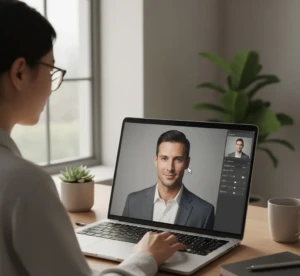
Professional-looking headshots help you stand out on LinkedIn, but they don’t have to take hours to create. By focusing on the most impactful areas, like face clarity, background cleanup, and color balance, you can improve your photo efficiently. Quick editing techniques make sure your headshot looks consistent with your personal brand and makes a positive first impression. These simple steps can improve the overall appeal of your profile and increase the likelihood of attracting connections and opportunities.
Tips for editing your headshot professionally:
- Use automatic fixes first – AI tools can quickly correct lighting, color, and small blemishes.
- Adjust brightness and contrast – make your face clear and well-lit.
- Clean up the background – remove distractions to focus attention on you.
- Sharpen key details – improve eyes, hair, and facial features without overdoing it.
- Preview before saving – always check the final image for a natural and polished look.
Conclusion
Investing in headshot editing for LinkedIn can truly transform the way people see your profile. A polished, professional photo not only makes a great first impression but also increases your chances of getting noticed, connecting, and networking effectively. Even small edits to lighting, colors, and details can make your photo stand out and reflect your professionalism. If you’re a job seeker, freelancer, or business professional, a high-quality headshot shows that you take your personal brand seriously. Have you updated your LinkedIn photo recently? Share your experiences or tips in the comments and let’s discuss how the right headshot has impacted your connections.
Read Next: When to Use Wedding Retouch Clear and Professional Photos