

How AI Image Extender Fixes Small Images for Marketing
In marketing, images play a big role in catching attention and sharing a message quickly. Small or low-quality photos can look unclear when used for ads, websites, or social media posts. This is where AI image extender tools help by making small pictures more usable for marketing needs. They work by adding missing visual details while keeping the original style of the photo. Marketers can use these tools to fix tight crops or low-resolution shots without starting from scratch. With better image quality, content looks more professional and pleasant to view.
AI image extender technology gives old or small images a new life for marketing use. It helps businesses save time because they do not need to search for new photos every time. The tool smartly adds extra space around the subject so designs can fit different platforms. Social media posts, banners, and product ads can all benefit from clearer visuals. Using this kind of tool is a practical way to keep marketing materials looking clean and ready for audiences. In a world where visual content matters, having better-looking images helps brands communicate more easily.
Why AI Image Extender Is Useful For Marketing Visuals
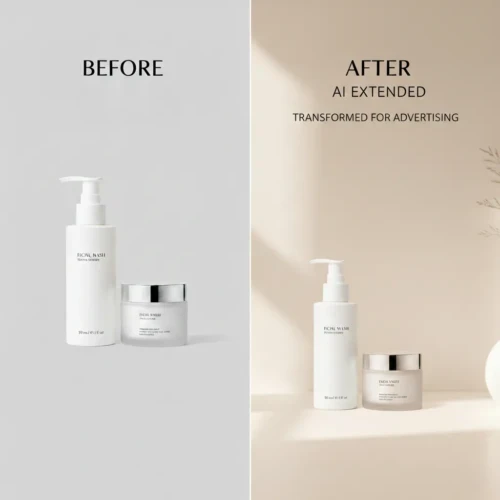
AI image extenders are helpful for marketing visuals because they improve how photos look without changing the main subject. Marketing today depends a lot on high-quality images that can catch attention quickly. Sometimes photos are taken in a hurry or are cropped too tight, leaving little background space for design or text. AI extension tools solve this by adding natural-looking surroundings that match the original photo’s style, lighting, and color tone. This makes the image more usable for ads, websites, and social media posts. Instead of rejecting a good photo just because it is small, marketers can upgrade it and still use it effectively.
Another reason AI image extenders are useful is that they help maintain consistency across marketing materials. Brands need visuals that look organized and professional on different platforms. These tools can improve sharpness, fill missing edges, and make images more balanced for banners or promotional layouts. This is especially useful when creating content for mobile users, where clarity and simplicity matter the most. The goal is to keep the photo natural while making it more practical for marketing use. When visuals look clean and well-prepared, they help build trust and improve audience engagement. If you want to improve your marketing visuals using AI image extension, feel free to reach out to us through our contact page today and start discussing your project with us.
Make Small Images Useful For Modern Marketing
Small images can still be very useful in modern marketing if they are improved and optimized the right way. With the help of AI tools, small photos can be expanded, sharpened, and refined so they look better on different platforms. Modern marketing relies on visuals that load quickly and appear clear on mobile phones and websites. Even if the original file is small, smart improvement can help bring out important details like product features, facial expressions, or background elements. The idea is to make the image work for marketing instead of letting its size limit its use. By improving clarity and balance, small images can still deliver a strong visual message.
Content needs to be flexible because it will be shown on many devices and screen sizes. Turning small images into usable marketing assets helps businesses save time and avoid reshooting photos. AI refinement can add missing background space, improve sharpness, and maintain natural lighting so the photo still looks professional. This is especially helpful for social media ads, website banners, and promotional posts. The goal is to keep the original idea of the image while making it more practical for modern marketing needs. When small photos are upgraded properly, they can still compete with high-quality visuals online.
Improve Image Clarity For Professional Content Using AI Image Extender

Improving image clarity is important when creating professional content because clear visuals help people understand your message faster. Blurry or noisy photos can make even good designs look less attractive, especially in marketing, social media, or portfolio work. Improving clarity usually involves sharpening important details, adjusting lighting, and reducing visual noise so the subject looks cleaner. Professional content should always feel smooth, balanced, and easy to look at. When images are clear, they also appear more trustworthy and high quality to viewers. Small improvements in sharpness and contrast can make a big difference in how your content is perceived. High clarity images also help your work look more polished and ready for publication.
This is useful when preparing photos for ads, websites, or printed materials where details matter. AI tools can help bring out texture in skin, fabric, and background elements without making the photo look unnatural. The goal is not to over-sharpen the image but to keep everything looking natural and professional. Good clarity makes the main subject stand out while keeping the overall photo comfortable to view. When your content looks sharp and clean, it becomes more effective in grabbing attention.
Simple tips to improve image clarity:
- Start with the highest resolution photo you have.
- Avoid adding too much sharpening because it can create noise.
- Adjust contrast and lighting carefully for a natural look.
- Check clarity on both mobile and desktop screens.
- Focus sharpening on important details like eyes and main subjects.
Use AI Image Extender To Fix Cropped Pictures
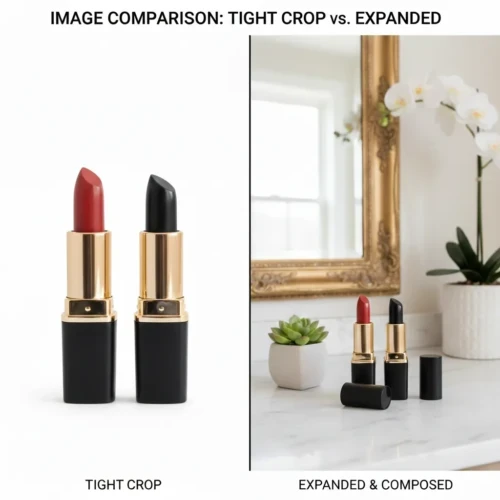
Cropped pictures can be frustrating, especially when an important part of the subject is cut out from the frame. AI image extenders help solve this problem by rebuilding the missing background around the photo. Instead of discarding a cropped image, you can expand it and make the composition look more complete. The technology studies the original lighting, colors, and texture so the added areas blend naturally with the rest of the photo. This is very helpful for portraits, product shots, and marketing visuals that need more space. With AI extension, you can turn a tight crop into a more balanced and usable image.
Using an AI image extender is a practical way to save time and improve content quality. It works well when you want to prepare photos for banners, social media posts, or advertising layouts. The tool can add natural-looking surroundings without changing the main subject of the picture. However, it is important to avoid overextending the image because it may reduce realism. When used correctly, AI extension makes cropped photos look more professional and ready for modern content needs.
Save Time When Preparing Marketing Visuals
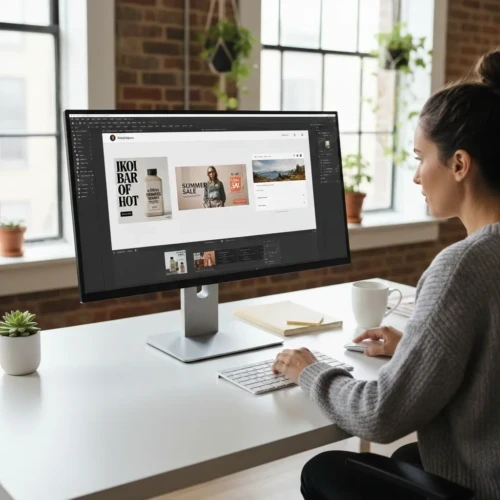
Preparing marketing visuals can take a lot of time, especially when you need different sizes for websites, ads, and social media. Adjusting images, fixing small issues, and making sure everything looks consistent can quickly slow down your workflow. Using smart tools and organized processes helps you complete tasks faster without lowering quality. Instead of starting from scratch each time, you can reuse templates, presets, and brand guidelines to keep things simple. This saves effort and allows you to focus more on strategy and creativity. When your workflow is smooth, marketing becomes less stressful and more productive. Saving time also means making better use of your resources. Quick editing tools and clear file organization can reduce unnecessary revisions.
When images are prepared correctly from the beginning, you avoid last-minute changes and delays. Consistency in colors, fonts, and layout styles also helps speed up approvals and publishing. The goal is not to rush your visuals, but to work smarter and more efficiently. A well-planned system can help you produce professional marketing content in less time.
Tips to save time when preparing marketing visuals:
- Use ready-made templates for common ad sizes and social posts.
- Organize your image files into clear folders.
- Keep brand colors and fonts saved in one place.
- Use AI tools for resizing and quick image improvements.
- Review visuals early to avoid multiple revisions later.
Create Marketing Images That Work On Different Platforms
Creating marketing images that work on different platforms is all about flexibility and smart design. Each platform has its own size requirements, layout style, and audience behavior. A photo that looks great on a website banner may not fit properly on Instagram or a mobile ad. That’s why it’s important to design visuals that can be resized and adjusted without losing quality. Clean composition, enough background space, and high resolution images make it easier to adapt your content anywhere. When your visuals look consistent across platforms, your brand feels more professional and reliable.

Good cross-platform marketing images also focus on clarity and simplicity. Overcrowded designs can look messy on smaller screens like smartphones. It helps to keep the main subject clear and leave extra space for cropping or adding text. Using consistent colors, fonts, and visual style across platforms strengthens brand recognition. When visuals are designed with flexibility in mind, they perform better and save you time in the long run. Tips for creating platform-ready marketing images. If you want marketing images that work across different platforms, our professional editing service can help you create visuals that are clean, flexible, and ready to use. We make sure your images are optimized for banners, social media, and websites while keeping everything natural and professional. Visit our service page today and let us help turn your photos into marketing-ready content that stands out.
- Start with high-resolution images for better resizing.
- Leave extra space around the subject for cropping.
- Keep text large and easy to read on small screens.
- Use consistent brand colors and style.
- Test your image on different devices before publishing.
Conclusion
Good marketing visuals don’t have to be complicated sometimes small improvements can already make a big difference. Using AI tools to upgrade image quality, fix crops, and improve clarity helps you work faster without starting from zero. The goal isn’t to make everything perfect, but to make your photos look clean, natural, and ready for your audience. When your images are easy to look at and feel professional, people are more likely to notice your content. So take advantage of smart editing tools and keep your visuals simple, clear, and engaging.
Read Next: Fast and Affordable Product Photo Editing Services