
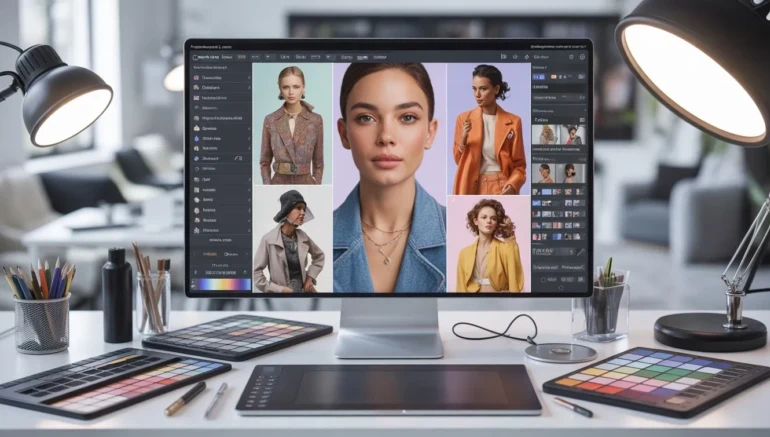
Best Model Photo Editing Software for Fashion and E-commerce
When it comes to fashion and e-commerce, presentation is everything. Amazing photos can grab attention, highlight details, and boost sales instantly. That’s why choosing the Best Model Photo Editing Software for Fashion and E-commerce is so important. With the right tools, you can improve colors, remove imperfections, and make your models and products look flawless. Even small edits can make a huge difference in how your audience perceives your brand. If you are a professional photographer or a business owner, having high-quality images is a must.
The right photo editing software doesn’t just improve pictures; it saves time and effort. You can easily adjust lighting, retouch skin, and highlight clothing or accessories in just a few clicks. Many tools also offer templates and automated features to make editing faster and easier. This means you can focus more on creativity and less on complicated technical work. For fashion brands and e-commerce stores, polished images help build trust and attract more customers. In today’s competitive online market, investing in the right software is a step toward standing out and making your photos shine.
Why Model Photo Editing Software Matters for Fashion
Using the right model photo editing software can make a huge difference in fashion photography. High-quality images help showcase clothing, accessories, and overall style in the best light. Even small edits, like adjusting brightness or removing blemishes, can make photos look more professional and appealing. For fashion brands, polished images can increase customer trust and make products more desirable. In the competitive world of e-commerce, first impressions matter, and clear, vibrant photos are often the reason shoppers click “buy.”
Beyond just improving image quality, editing software also saves time and effort for photographers and business owners. With the right tools, you can quickly improve multiple images without starting from scratch each time.
Some helpful tips to maximize your software include:
- Use presets for consistent lighting and color across all photos.
- Remove distractions in the background to keep focus on the model and product.
- Adjust contrast and sharpness to highlight clothing details.
- Keep edits natural to maintain authenticity and brand trust.
Top Features to Look for in Model Photo Editing Software
Choosing the right model photo editing software can make a big difference in the quality of your fashion and e-commerce images. The best software helps you correct common issues like poor lighting, dull colors, or small imperfections on models and products. With the right tools, even beginners can create professional-looking images that get attention online. Advanced editing options allow for precise adjustments, giving you control over every detail from skin tone to clothing texture. Using software with the right features also speeds up your workflow, letting you edit multiple photos efficiently without sacrificing quality.
The features you choose will depend on your needs, but certain tools are important for fashion and e-commerce photography. Look for software that not only fixes problems but also improves your images creatively. From retouching and color adjustments to background edits, these functions help make your photos stand out and look polished. Some features can also save you time and make sure consistency across all your images, which is important for building a professional brand.
Here are key features to look for when picking software:
- Easy retouching tools to smooth skin and fix small imperfections.
- Color correction and lighting controls to make colors pop and balance exposure.
- Background removal and replace options to isolate your model or product.
- Batch editing support so you can edit many photos at once.
- Templates and presets to keep a consistent look across your fashion images.
Choosing the Right Software for Your Fashion or E-commerce Business
Picking the right model photo editing software for your fashion or e‑commerce business can feel overwhelming with so many options available. It helps to start by thinking about your goals and how you plan to use the software. If you want quick, simple edits for everyday posts, a tool with easy controls and ready‑made templates might be best. But if you need more advanced tools for detailed retouching or professional images, look for software with deeper editing features. The key is to find a balance between features you need and tools you’ll actually use regularly.
Another important factor is how comfortable you feel using the software. Some tools are built for beginners, with user‑friendly design and step‑by‑step guides, while others are more advanced and may take time to learn. Consider if you need mobile access, cloud storage, or compatibility with other apps you use for your business. Budget is also a major point to think about some software is free or inexpensive, while others require a subscription or one‑time purchase.
To make the best choice, here are some tips:
- Test a free trial before committing to see if the interface and tools work for you.
- Check for templates and presets that match your style and save editing time.
- Consider software compatibility with your computer, smartphone, or other editing apps.
- Look for customer support and tutorials to help you learn the software faster.
- Evaluate pricing options to make sure you get the features you need without overspending.
Tips to Get the Most Out of Your Photo Editing Software
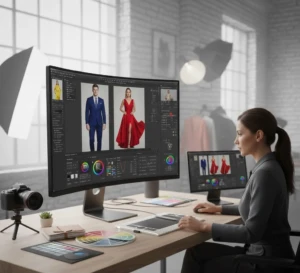
Using model photo editing software effectively can make a huge difference in how your fashion and e-commerce photos look. Even the best software won’t produce great results if you don’t know how to use it properly. Learning basic editing techniques, experimenting with tools, and practicing regularly will improve your skills over time. Consistency is important too, editing your photos in a similar style helps create a professional, recognizable brand. With the right approach, you can turn ordinary photos into eye-catching images that attract attention online. To get the most out of your software, focus on workflow, efficiency, and key details. Taking advantage of built-in features and shortcuts saves time and keeps your images looking polished.
Here are some helpful tips to make editing easier and more effective:
- Use presets and templates to maintain consistent lighting, colors, and style across all photos.
- Batch edit multiple images to save time when working with large collections.
- Focus on key details like skin tone, clothing texture, and product colors for professional results.
- Keep edits natural to maintain authenticity and trust with your audience.
- Regularly update the software to access new tools and improvements that simplify editing.
Making Your Photos Stand Out Online
Your fashion and e-commerce photos need to grab attention quickly. High-quality images help showcase your products in the best way and make your brand look professional. Online shoppers often decide within seconds if to click or scroll past a photo, so visually appealing images are important. Using your model photo editing software effectively can highlight colors, details, and textures, making your products irresistible. Consistency in style, lighting, and composition also helps build a strong brand identity that customers recognize and trust.
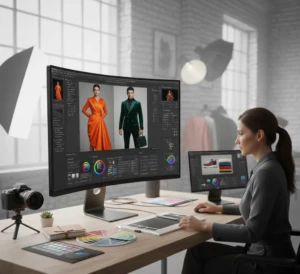
To make your photos truly stand out, it’s important to pay attention to both editing and presentation. Small details can have a big impact on how your audience perceives your products.
Here are some practical tips to improve your online images:
- Optimize image size and resolution for fast loading without losing quality.
- Use consistent backgrounds to keep focus on the model or product.
- Highlight product details like textures, patterns, and features.
- Add simple branding elements like watermarks or logo placement if needed.
- Experiment with angles and composition to create unique and engaging shots.
Conclusion
Choosing the right model photo editing software can truly change your fashion and e-commerce images, helping your products shine and your brand stand out. With the right tools, you can create photos that are clear, vibrant, and professional, making a lasting impression on your audience. Even small adjustments in lighting, color, or background can make a big difference in how customers perceive your products. Don’t be afraid to experiment with different features and styles to find what works best for your brand. What editing tips or tools have helped you create amazing photos? Share your experiences in the comments below and let’s inspire each other to make every image count.
Read Next: When to Invest in Creative Wedding Photography for Unique Image