
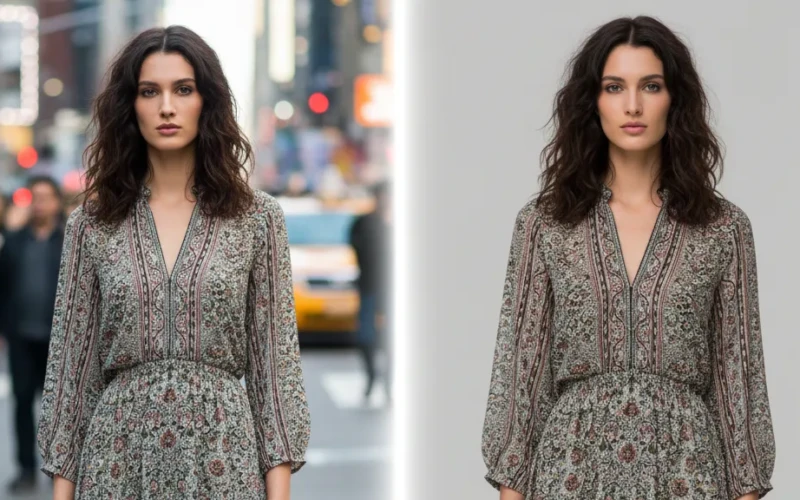
Background Removal Editing for Portraits, Products, and Fashion
Removing backgrounds can be annoying, especially when you’re dealing with portraits, product photos, or fashion shots. Sometimes the edges look messy, the hair looks weird, or the subject just doesn’t stand out the way you want. But don’t worry background removal editing doesn’t have to be stressful or complicated. With the right tools and a few easy steps, you can get clean results even if you’re not a tech expert.
In this guide, we’ll go over some easy ways to make your photos look cleaner, sharper, and way more appealing. Even if you’re a creator, an online seller, or someone who just loves taking photos, these tips will help you edit faster and get better results. Let’s make background removal editing easy and actually kind of fun.
Why Getting Rid of the Background Actually Helps
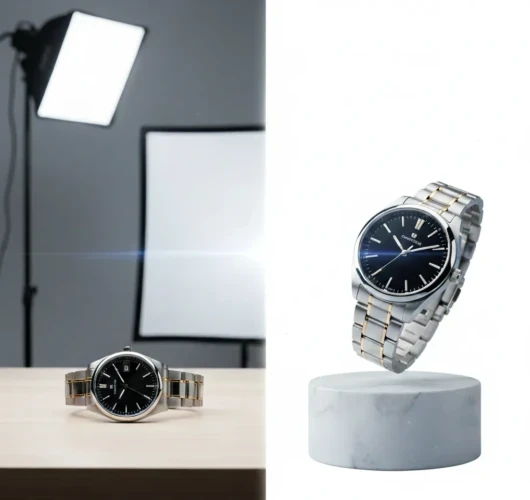
Removing the background from an image might seem like a small thing, but it can make a big difference. When you take the background out, the main subject instantly stands out more. There’s no clutter, no distractions just the thing you want people to focus on. It also makes your image way more flexible. You can drop it onto any color, design, or layout without it looking messy or out of place. This is super handy for product photos, social posts, or anything where you want a clean, polished look. Plus, a background-free image just looks more professional. It shows you put in a bit of extra effort, even though it only takes a few seconds with the right tools.
Tools That Make Background Removal Easy
There are a bunch of handy tools out there that make removing backgrounds super simple, even if you’re not great with editing. Most of them work with just one click, so you don’t have to spend time tracing around the edges or doing anything complicated. They clean up your photos fast, help your main subject stand out, and make your images look more professional without much effort. If you need something quick for social media, product photos, or just cleaner visuals, there’s a lot tools that save you time and make the whole process way easier.
Editors That Do Most of the Work for You
When you don’t want to spend a lot of time fiddling with photo edits, there are remote photo editors that pretty much do the heavy lifting for you. A few taps or clicks and they can automatically erase messy backgrounds, clean up edges, and even adjust lighting so your subject looks clean and sharp. You can even send some sample photos so they can match the exact style you want, making it even easier to get your images looking just the way you like.
Types of Background Removal
When it comes to background removal editing, there’s more than one way to get the job done. Each method has its own vibe, and choosing the right one depends on what you’re working with. It just depends on what kind of photo you’re dealing with and how perfect you want the final result to look. Even if you’re editing product shots, cleaning up selfies, or creating content for social media, there’s definitely a method that fits your style. Here are the most common types:
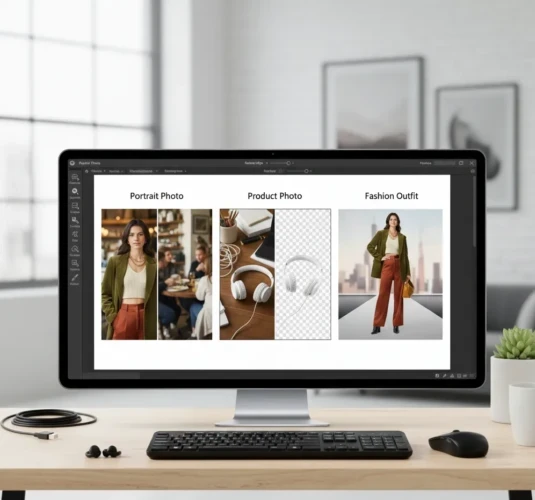
Portrait Background Removal
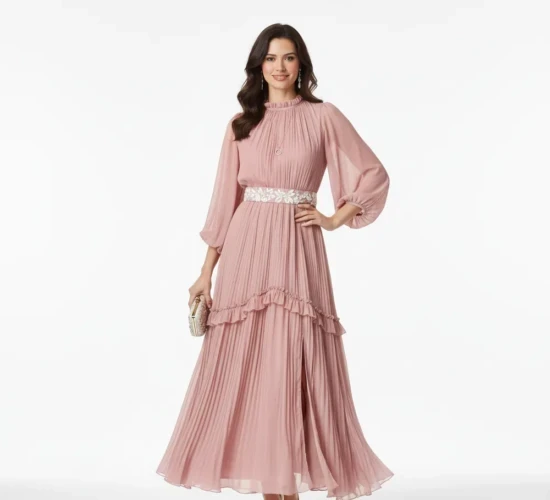
Portrait background removal editing is all about making the person in the photo stand out by getting rid of anything distracting behind them. It’s like giving your picture a fresh little makeover. This method focuses on getting smooth edges around the body, so everything looks natural. It’s perfect when you want a clean look or when you need to place the person on a new background. It also makes your photos more flexible like switching backgrounds, adding effects. Plus, it saves time compared to manually editing every little detail, while still giving you a sharp, professional finish.
Product Photo Cutouts
Product photo cutouts are basically all about putting your product in the spotlight. You snap a photo, remove the background, and suddenly your item looks cleaner, sharper, and way more professional. No messy table, no random shadows, no weird stuff in the back, just your product looking its best. This type of background removal is popular for online shops and social media posts because it makes your product stand out. Once the background is gone, you can place it on a white background. It’s a simple trick that makes your product look like it belongs in a catalog, even if you took the photo at home.
Fashion & Lookbook Editing
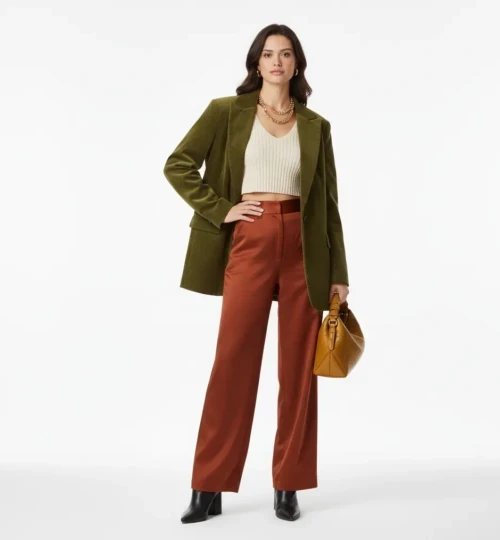
Fashion & lookbook editing is all about making clothes, outfits, and style moments look their absolute best. Think of it as giving your photos a stylish vibe without going overboard. The goal is to highlight the outfit, the textures, the colors, and the overall mood so everything feels clean, trendy, and on-brand.
This type of editing focuses on smooth skin tones, lighting, clear details, and a background that doesn’t steal the spotlight. Either it’s for a clothing brand or a model’s portfolio, lookbook editing helps the whole image feel more professional. It’s basically the secret behind those aesthetic fashion photos you see online.
Common Mistakes to Avoid
- Cutting too rough around hair, clothes, or products makes it look fake.
- Dark or uneven lighting can make editing harder and less natural.
- Too many filters or adjustments can make the photo look unnatural.
- Small shadows, reflections, or stray objects can stand out if not fixed.
- A background that clashes with your subject can ruin the vibe.
How to Get the Best Results
To get the best results, start with a good photo, bright lighting, and a clean setup. Next, pick the right editing method for your photo depending on how detailed you want it to look. Don’t forget to pay attention to the edges and little details, like hair, textures, or product lines. A clean cut makes your image look professional. And finally, experiment a bit! Sometimes small tweaks with background colors, shadows, or brightness can completely change the vibe and make your photo really pop. Also, take your time to review your edits carefully and don’t be afraid to try different styles or backgrounds until you find the one that really makes your subject shine.
Conclusion
Background removal doesn’t have to be hard or stressful. With the right tools, a little practice, and some simple tips, you can make your photos look clean and professional. Take your time to experiment with different tools and methods. Play around with edges, backgrounds, and colors until it feels just right. The more you practice, the faster and better you’ll get. So grab your photos, try out some tools, and have fun with it but if all of this sounds like too much or you just don’t have the time, don’t worry our services are here to help! We can handle the background removal for you, making your photos look perfect without you lifting a finger. Even small edits can make a big difference, and before you know it, your pictures will look way better with just a few simple steps.
Read Next: How a Freelance Photo Editor Can Save You Time and Money