
A Practical Guide to Marketing Photo Editing for Digital Campaigns
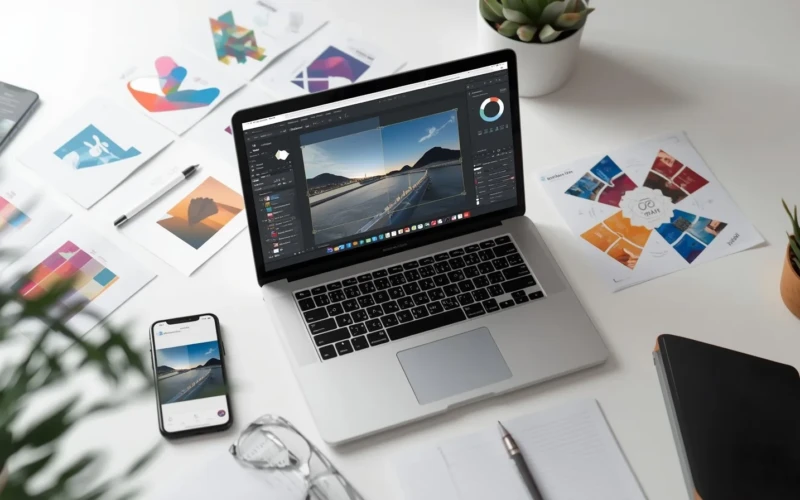
Strong visuals can make or break your campaign. That’s where Marketing Photo Editing plays an important role. It helps turn simple images into eye-catching visuals that grab attention and build trust. With the right edits, your photos can look brighter, clearer, and more professional. This makes your brand stand out in crowded social media feeds and online ads. Even small changes in color, lighting, and sharpness can create a big impact on how people see your business.
This practical guide will help you understand how to edit photos with purpose. You will learn how to adjust images to match your brand style and message. Clear and well-edited photos can increase engagement and encourage more clicks. Good editing is not about overdoing effects, but about making your visuals look natural and appealing. When done right, your campaign images can connect better with your audience. By the end, you’ll feel more confident using photo editing to support your digital marketing goals.
How Marketing Photo Editing Improves Your Campaign Results
Marketing Photo Editing helps your campaign stand out in a busy online space. When your images look clear and professional, people are more likely to stop scrolling and pay attention. Good editing improves lighting, sharpness, and colors, which makes your product or message easier to understand. It also builds trust because clean and polished visuals make your brand look reliable. When people trust your brand, they are more likely to click, engage, and even buy. Small improvements in your photos can lead to better overall campaign performance.

Strong visuals also help deliver your message faster. Many users scan content quickly, so your image needs to communicate value in just a few seconds. Marketing Photo Editing helps highlight the most important parts of your photo so viewers focus on what matters. It also keeps your brand style consistent across different platforms, which strengthens recognition. Over time, this consistency helps people remember your business. Better images do not just look nice, they support real marketing results.
Helpful tips to improve your campaign images:
- Adjust brightness and contrast to make your subject clear.
- Use natural color tones that match your brand identity.
- Crop out distractions to keep the focus on your product.
- Sharpen important details but avoid heavy filters.
- Always review your image before posting to make sure of the quality.
Start with Clear and High Quality Photos
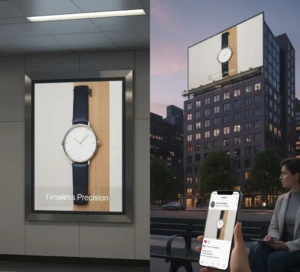
Every successful edit begins with a strong original image. If your photo is blurry, too dark, or poorly framed, even the best editing tools will struggle to fix it. Clear and high quality photos make the editing process easier and more effective. They allow you to improve details, improve colors, and adjust lighting without reducing image quality. Starting with a good photo also saves time because you won’t need heavy corrections. In simple words, better input always leads to better output. High quality images also make your brand look more professional and trustworthy. When customers see sharp and well-lit photos, they feel more confident about your product or service.
Good lighting helps show true colors, while proper focus keeps important details clear. Clean backgrounds also reduce distractions and make your subject stand out. Before you even begin editing, it’s important to take your photos carefully. Strong photos give your marketing efforts a solid foundation.
Helpful tips for getting better photos:
- Use natural light whenever possible.
- Keep your camera steady to avoid blur.
- Focus clearly on your main subject.
- Choose simple backgrounds to reduce distractions.
- Use the highest resolution available on your camera or phone.
Adjust Brightness and Colors for a Stronger Impact
Brightness and color play a big role in how people feel about your images. If a photo is too dark, important details can be hard to see. If it is too bright, it may look washed out and lose depth. By adjusting brightness carefully, you can make your subject clearer and more eye-catching. Balanced lighting helps your product look clean, fresh, and professional. Small changes in exposure can already make a big difference in how your image is perceived.
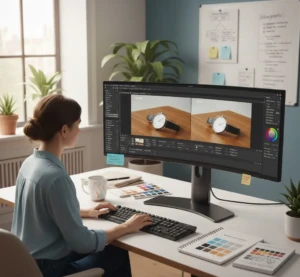
Color adjustments are just as important as brightness. Correcting tones can make your photos look more natural and aligned with your brand style. Warm tones can create a friendly and inviting feel, while cooler tones can look calm and modern. The key is to improve the image without making it look fake or overedited. When colors are balanced, your visuals become more appealing and easier to remember. Strong color control helps your marketing message stand out in crowded feeds.
Helpful tips for better brightness and color adjustments:
- Increase brightness slowly to avoid overexposure.
- Adjust contrast to add depth and clarity.
- Correct white balance for natural skin and product tones.
- Match colors with your brand identity.
- Avoid heavy filters that change the original look too much.
Keep Your Brand Look Consistent
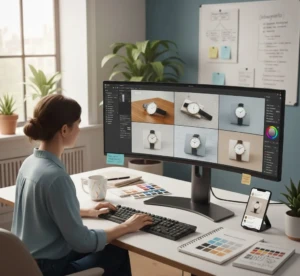
Consistency is important in marketing because it helps people recognize your brand quickly. When your photos follow the same style, colors, and mood, your audience starts to remember your look. This makes your business appear more professional and organized. If your images change style too often, it can confuse viewers and weaken your brand identity. Keeping a consistent visual theme builds trust over time. It shows that your brand has a clear and strong personality. Marketing Photo Editing plays a big role in maintaining this consistency. By using the same color tones, brightness levels, and editing style, your visuals will look connected across social media, websites, and ads.
Even small details like background color and image framing should follow a similar pattern. This creates a smooth and unified experience for your audience. When people see your content, they should instantly feel that it belongs to your brand. A consistent look helps turn casual viewers into loyal followers.
Helpful tips to keep your brand look consistent:
- Choose a specific color palette and stick to it.
- Use the same editing style for all campaign images.
- Keep lighting and tone similar across platforms.
- Create simple editing guidelines for your team.
- Review your posts to make sure they match your brand identity.
Highlight the Most Important Details in Marketing Photo Editing
In any photo, some elements are more important than others. Highlighting these key details makes your audience focuses on what really matters, like your product, service, or message. If your subject gets lost in a busy background, your campaign may fail to grab attention. Marketing Photo Editing helps bring these elements forward by sharpening, cropping, or improving specific areas. Clear focus guides the viewer’s eye and makes your images more engaging and effective.

Emphasizing important details also makes your visuals look professional and polished. Small adjustments, like brightening a product or slightly blurring the background, can create depth and draw attention to your main subject. Consistent emphasis on the right elements improves understanding and makes your campaign more memorable. Even simple changes can dramatically improve how your audience perceives your message. When done right, highlighting details can turn an ordinary photo into a powerful marketing tool.
Helpful tips to highlight key details:
- Crop to remove distractions around your subject.
- Use selective sharpening to make the main object stand out.
- Brighten or improve the colors of the important elements.
- Blur or darken less important areas slightly.
- Position your subject using the rule of thirds for better focus.
Optimize Images for Social Media and Ads with Marketing Photo Editing

Optimizing your images makes sure they look great and load fast on every platform. Social media and ads often have specific size and format requirements, so resizing your photos correctly is important. Marketing Photo Editing isn’t just about making images look nice, it’s also about making them functional for digital campaigns. Proper optimization helps your visuals display clearly without being cropped or distorted, which keeps your audience engaged. Fast-loading images also improve user experience and can boost ad performance. Different platforms require different image dimensions, so it’s important to prepare your photos accordingly.
Compression should reduce file size without sacrificing quality, making your campaign more efficient. Optimized images maintain sharpness, colors, and clarity, giving your brand a professional look. By tailoring your visuals to each platform, you increase the chances of catching attention and encouraging clicks. Smart optimization combines visual appeal with technical precision to maximize your campaign’s success.
Helpful tips for image optimization:
- Resize images to fit the platform’s recommended dimensions.
- Compress files to reduce loading time without losing quality.
- Keep key elements centered to avoid cropping issues.
- Save images in web-friendly formats like JPEG or PNG.
- Test how images appear on mobile and desktop before posting.
Conclusion
Marketing Photo Editing is a powerful tool that can take your digital campaigns to the next level. By starting with high-quality photos, adjusting brightness and colors, and keeping your brand consistent, you can create visuals that grab attention and build trust. Highlighting important details while avoiding overediting makes sure your images look professional and natural. Optimizing your photos for each platform makes sure they display perfectly and load quickly. The little edits you make can lead to big results in engagement, clicks, and brand recognition. What’s your favorite tip for improving campaign photos? Share your thoughts or experiences in the comments below.
Read Next: When to Use Wedding Retouch Clear and Professional Photos